
Release 2026.10.09
References that follow the shot, five seconds to cancel, one style per project
3 new7 improved5 fixed
What changed · 4 scenes · 0:47
0:00 / 0:47
01 / 04Shot generator
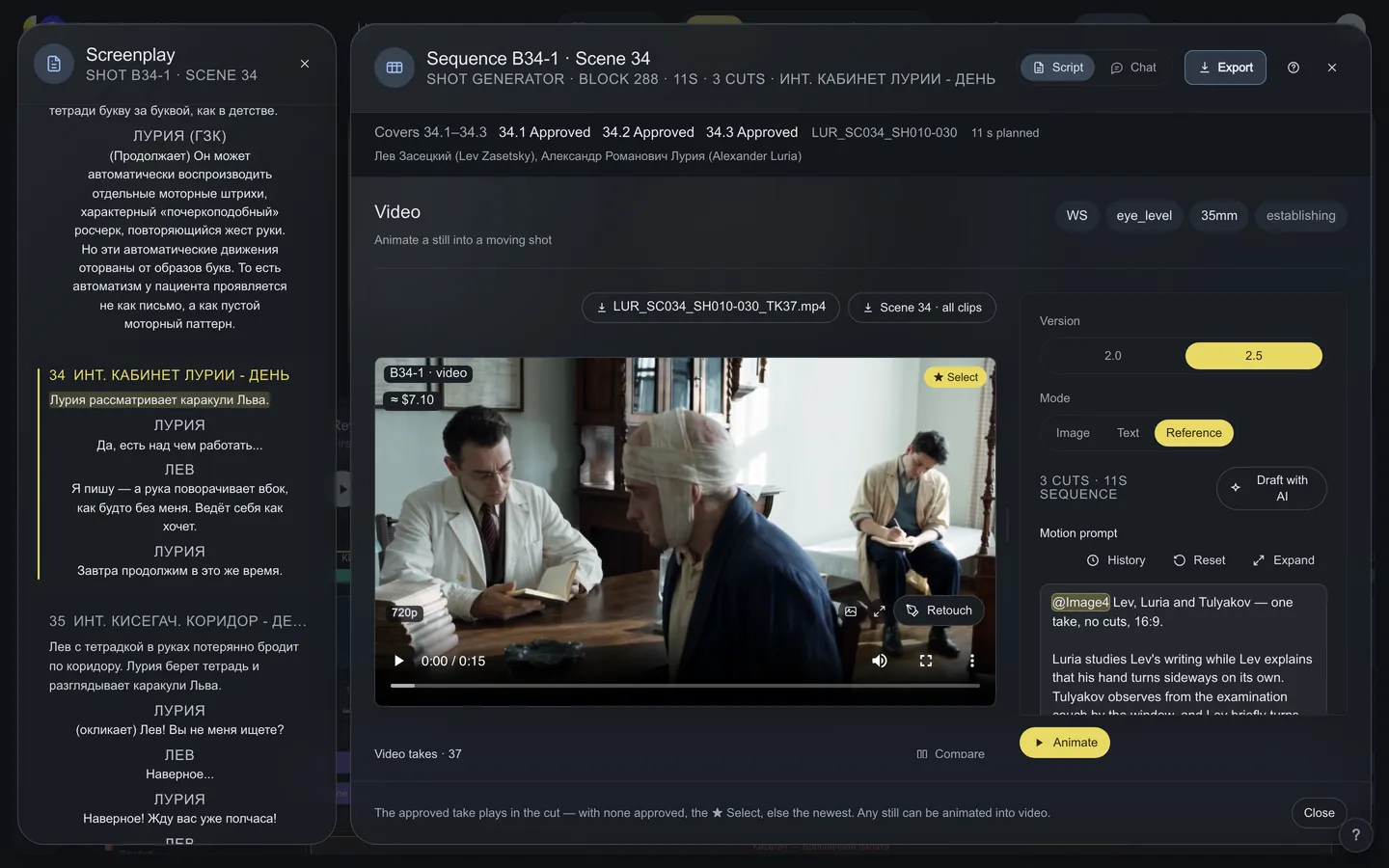
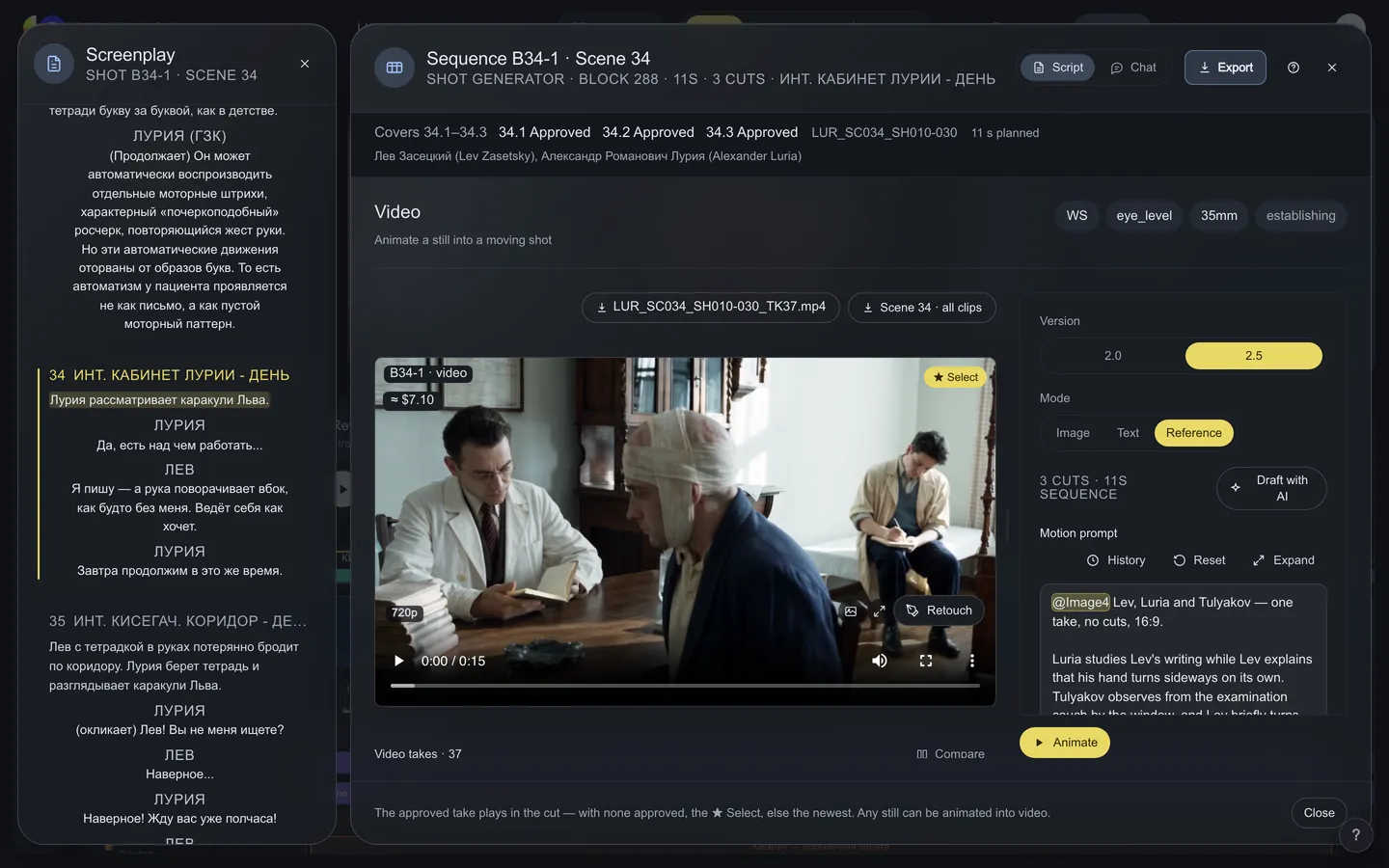
The Shot generator makes room
Drag the seams between its columns and the handle under the prompt. Your computer keeps the sizes.
2026.10.09Oct 09, 2026ReleaseOct 09, 2026
References that follow the shot, five seconds to cancel, one style per project
A shot's references and checks follow the people in it; every render waits five seconds with a Cancel that costs nothing; pictures paste from the clipboard; settings survive a reload; the Shot generator makes room on any screen; one style text rides on every prompt of a project; props take your photos again, and the DoP chooses the camera.
FixedPropsReplace a prop's picture, or add photos to it, on any item again. Upload — Replace once there is a picture — sits under every prop's picture, and a photo dropped onto the picture does the same; the source then reads Own photo. Reference photos are on every card, not only under Design. Since 2 October both had hidden behind the chosen source, and props made before then opened on Find, which offered neither.
FixedShot generatorA shot's references follow the people in it, not the whole scene. A shot opens with references for its own characters — a shot of an empty room gets the set and the props, nobody else — and a character sheet goes in only when it shows the scene's look and costume. Auto refs from scene is now yours to switch off: a shot nobody has set up then opens empty, for your own references.
FixedShot generatorThe pre-flight check asks only about who is in the render. It holds to the screenplay just the characters the prompt names or whose casting pictures go with the render — a location frame no longer warns about someone who isn't in it — and the card says plainly that a warning never blocks the render.
FixedShot generatorFive seconds to change your mind, and a Cancel that means it. Every render in the Shot generator and every run in Render waits five seconds — Sending in 4 s · Cancel — and that Cancel sends nothing and costs nothing. Once it is sent, the bar says it runs to the end and is charged, instead of offering a Cancel that wasn't one.← from post #24 · suggested by 1 person
NewShot generatorPaste pictures. Ctrl/Cmd+V puts a picture from the clipboard into the Shot generator's references, Seedance slots and frame to animate, and into Render's attachments; empty slots say Drop or paste images.
FixedShot generatorYour settings come back. A shot keeps its models' settings — resolution, format, seed — and they return after a reload, even one a moment after a change; a shot nobody has set up opens on the model you last chose for that stage. Render opens on the model and settings you left it on, for each project.
ImprovedShot generatorThe prompt stays where you are. Putting an @reference into the middle of a prompt keeps the field and the caret where you were. A render sends what the field holds when it goes — edits made while the pre-flight card is up, or during the five seconds, go with it. With Can view, the prompt says why it can be selected but not changed.
ImprovedShot generatorThe Shot generator makes room. It uses the screen it is given — wider on a large display, a right column that grows with the window, a layout that holds on a laptop and at 110–125 % zoom. Drag the handle under a prompt to make it taller and the seams between its columns to size them; your computer keeps both. Each stage's references sit right under its prompt, in Expand too, and a reference's × sits inside its tile.See it
ImprovedShot generatorThe shot's record under the prompt, as much of it as you want. Shot brief, Checks, Camera, Light, Continuity, QC and the Approval log sit under the prompt; fold or hide any of them and it stays that way on every shot, and a block with a problem keeps its red dot, folded or hidden.See it
ImprovedShot generatorFrom gallery opens on the shot's scene together with the cast, and narrows to Circled or Selects. The album you picked in the Project gallery is the one it opens in, and Browse all on the final frame narrows the same way, its filters in one row.See it
NewShot generatorOne style for the whole project. Write the look once — style, light, colour, film stock, lenses — in Project settings, the editor's Generation settings or under any prompt in the Shot generator, and it is added to the end of every prompt the project's shots are rendered with: storyboard and final frames, video and Seedance. A shot's own prompt stays short, every take keeps the full prompt it was made with, and Draft with AI leaves the style out rather than writing it twice. A project without a style renders exactly as before.← from post #22 · suggested by 1 person
ImprovedRenderEdit · Workflow · Render everywhere. Render's top bar has the same switch as Edit and Workflow, and the screen you came from opens back where you left it. The Shot generator keeps its shot in the page's address: reload, go Back, or share the link, and the same shot opens again.
ImprovedPropsProps across the scenes at a glance. Each prop's blocks on the timeline show its picture in that scene and what the scene does to it — In use, Damaged, Destroyed; hover for a bigger picture. Whole project lists the items that run through several scenes first and one-scene items as compact lines, and every scene button opens that scene with the item marked.
NewCameraChoose the camera. The DoP's window now has Camera among the optics — an ARRI Alexa 35, a Sony Venice 2, a RED Komodo, 16 mm film, a VHS camcorder — and the frame's prompt says what the shot was made on. The list is a dictionary like the rest, so a camera the studio adds is offered at once.See it
ImprovedShot generatorReferences stand out in the prompt. Every @image, @video and @audio in the prompt is tinted where it stands; one that points at no attached reference turns red, before you spend a render on it.
STANISLAVSKY · the directing room for AI film crews